Once you've purchased your Fortinet Instructor-led training or NSE 8 onsite practical exam voucher, you can redeem it to self-enroll in the applicable session of your choice, scheduled at the Fortinet Training Institute Schedule page as follows:
 | Last date for enrollment in online sessions is four (4) business days before the class start date. An instructor-led training voucher(s) will only be redeemable with the corresponding training course product. View the mapping of training course SKU vs course product at: https://training.fortinet.com/local/staticpage/view.php?page=purchasing_process |
- Log in to your Fortinet Training Institute portal account. If you do not have an account, please refer to How to create a Fortinet Training Institute portal account?
- Go to the Schedule page, and browse for your preferred Fortinet-delivered session(s). For more information, see Navigating the Fortinet Training Institute Schedule Page.
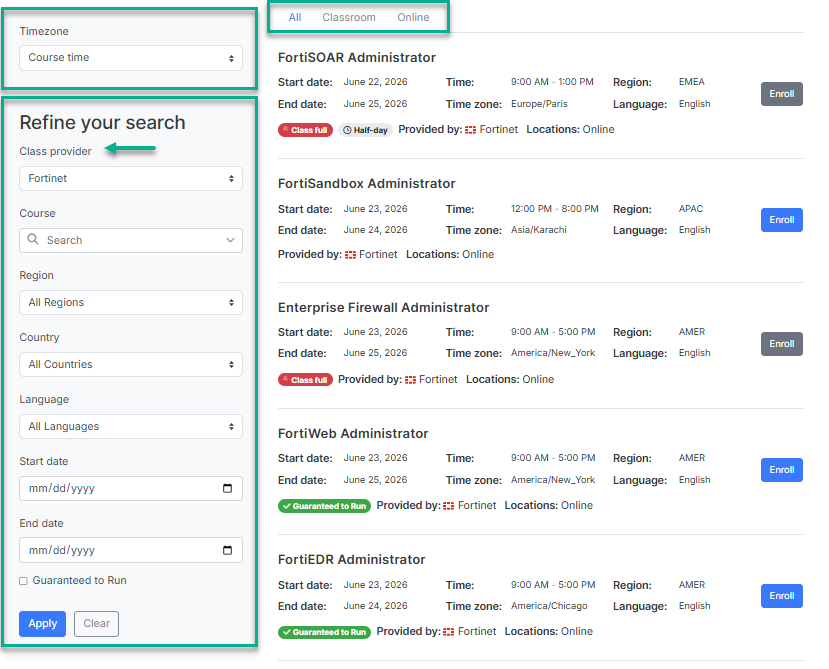
- Click Enroll in your preferred Fortinet-delivered session.

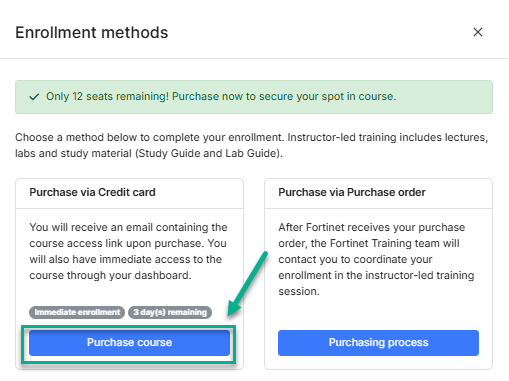
- Click Purchase course under Purchase via Credit Card. The checkout product page will display.
- Fill in the requested information and click Continue.
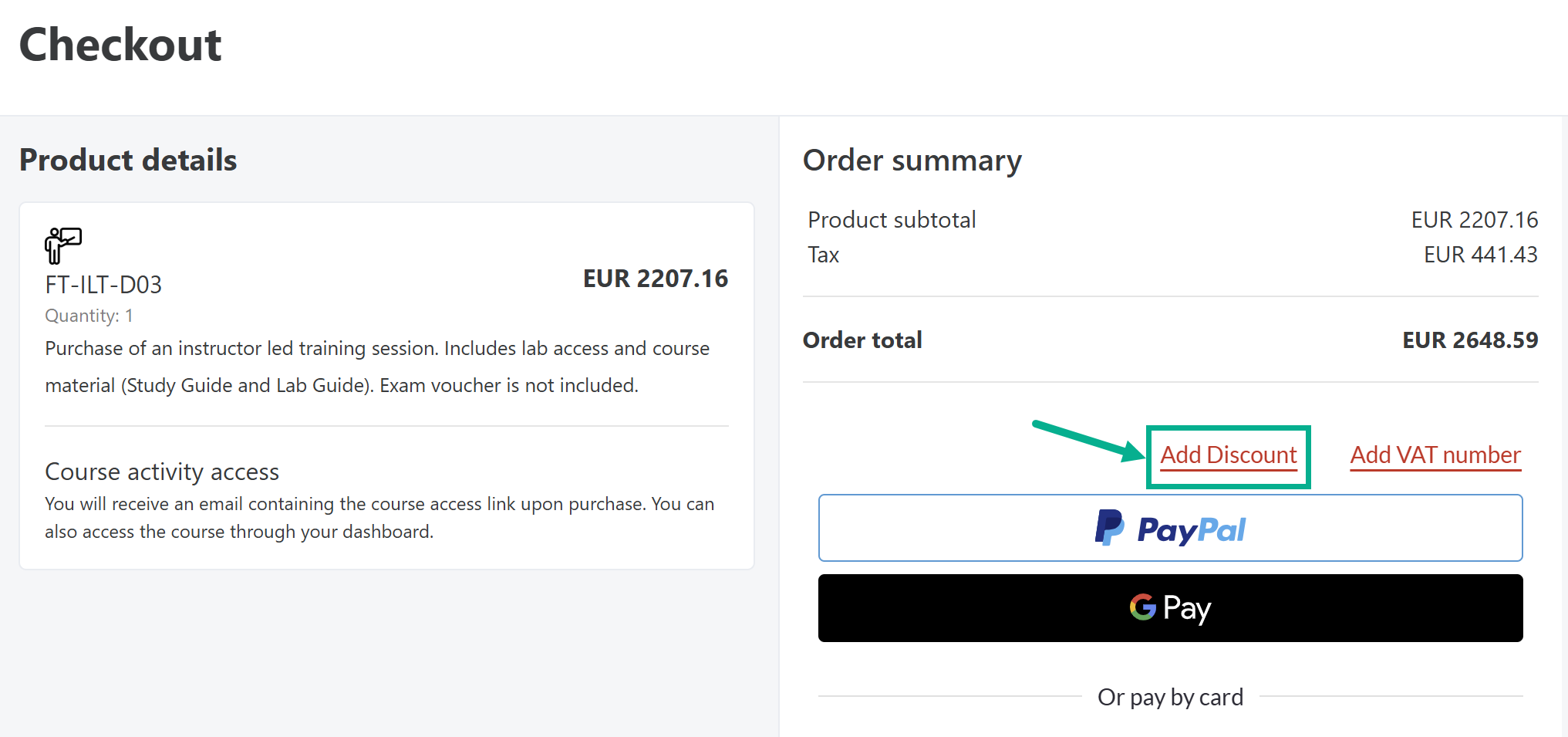
- Click Add Discount.
- Enter the instructor-led training or NSE 8 onsite practical exam voucher provided at your purchase.
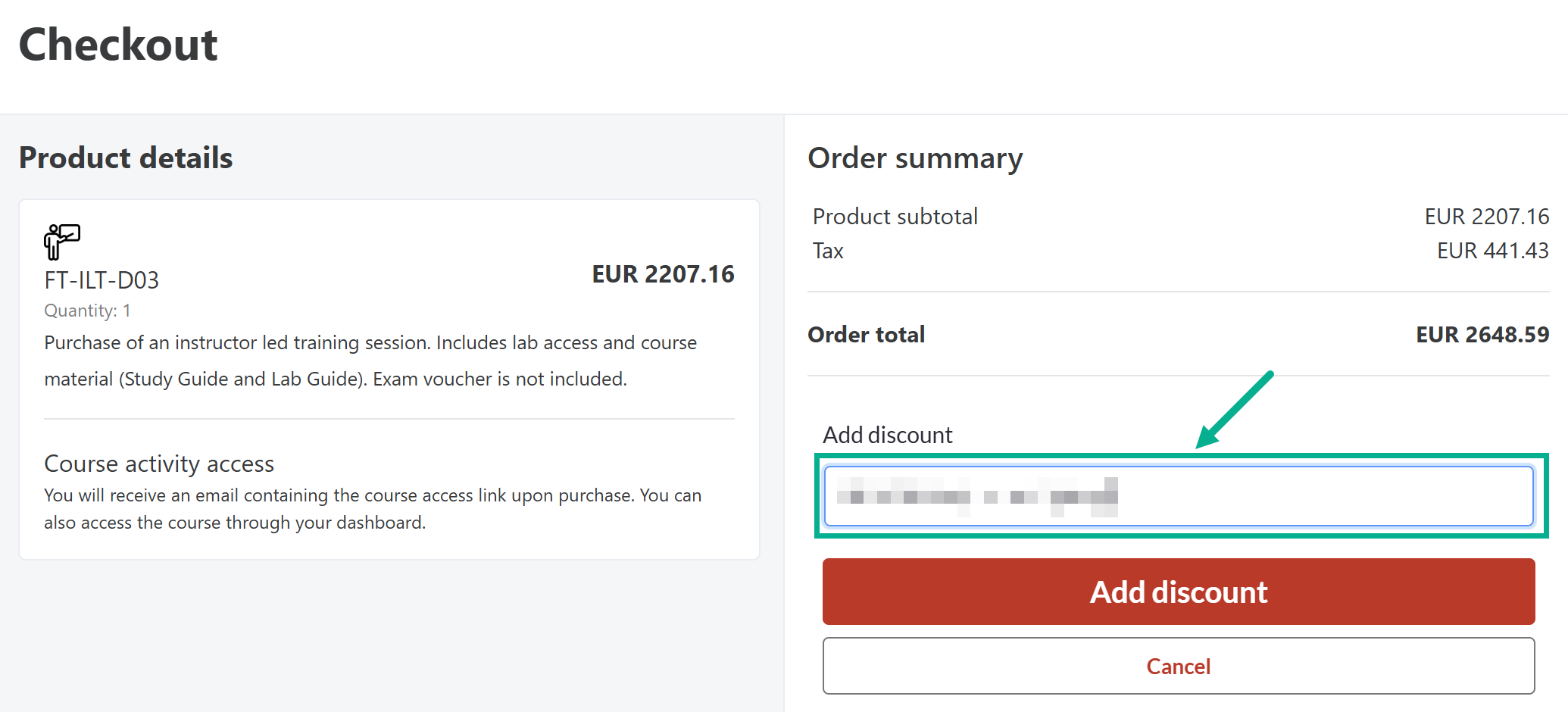
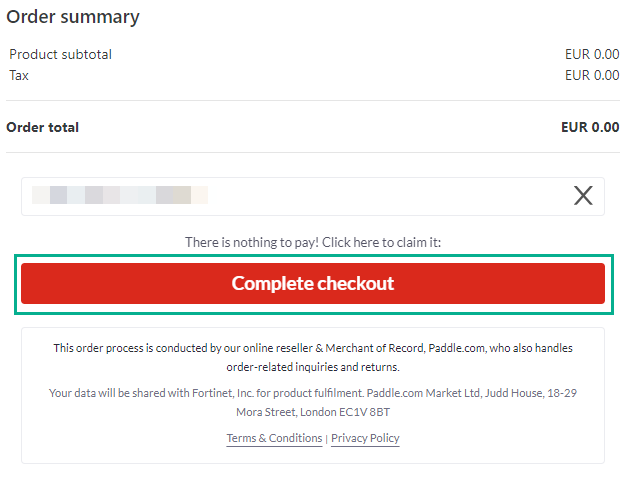
- Click Add Discount. The price will be 100% discounted.
- Click Complete Checkout
You will immediately receive an enrollment confirmation email for your selected Fortinet-delivered instructor-led session. Likewise, an email with class information details approximately 4 days before the start of the training class.
You can find the Fortinet-delivered session(s) you're enrolled in on your training dashboard at https://training.fortinet.com/my/.
If your voucher does not work in your country or you encounter an error when redeeming it, please submit a support request for assistance.
To submit a Fortinet Training Institute support request:
- Log in to the Fortinet Training Institute helpdesk portal. For more reference, see: Do I need a Helpdesk account to raise a ticket for an issue?
- Click Submit a ticket.
- Complete the form.
- Click Submit.
A Fortinet Training Institute representative will contact you shortly. You can follow up and keep track of your Fortinet Training Institute helpdesk requests through https://helpdesk.training.fortinet.com/en/support/tickets
Was this article helpful?
That’s Great!
Thank you for your feedback
Sorry! We couldn't be helpful
Thank you for your feedback
Feedback sent
We appreciate your effort and will try to fix the article