You can access the Fortinet-delivered instructor-led courses you are enrolled in through either the Fortinet Training Institute Schedule page or the Fortinet Training Institute Dashboard page.
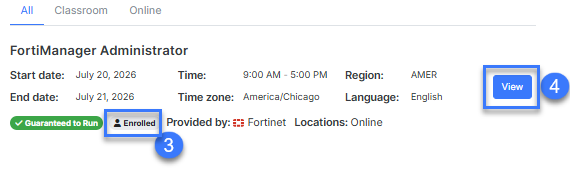
Fortinet Training Institute Schedule page
- Go to https://training.fortinet.com/local/schedule/
- Search for the class and/or refine your search with the filter
- Identify the sessions you are enrolled in with the Enrolled tag
- Click View Course to access these sessions.
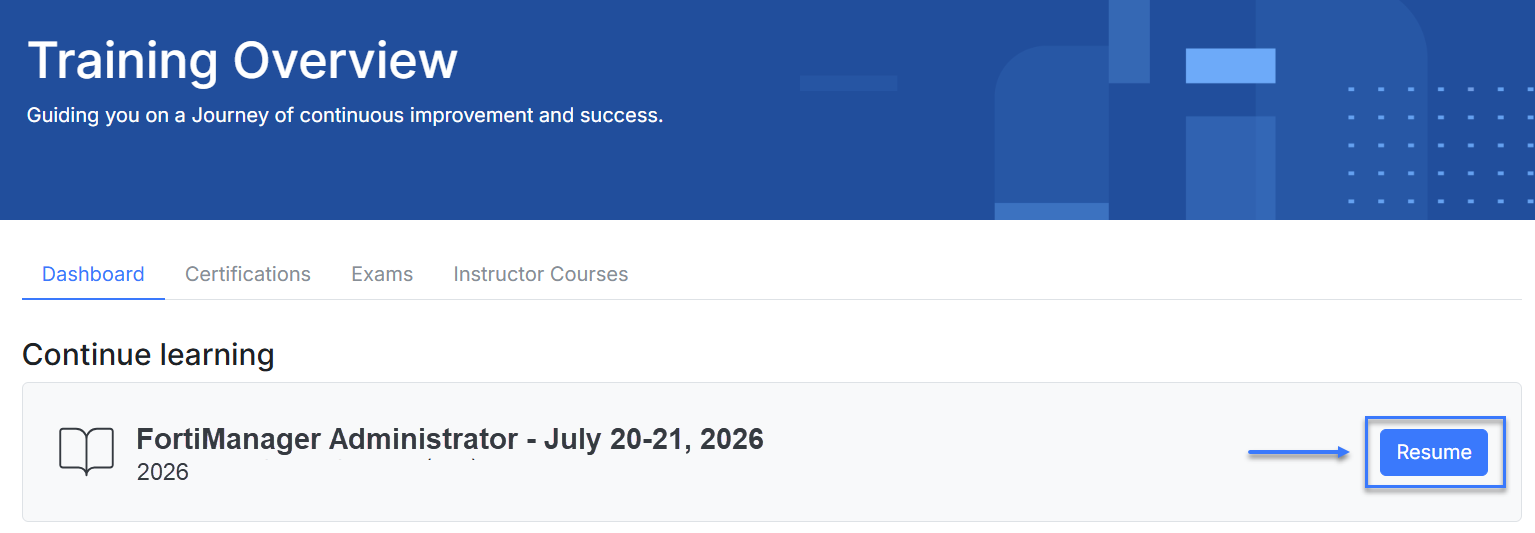
Fortinet Training Institute Dashboard page
- Go to https://training.fortinet.com/my/
- Locate the session you want to access. If you session has started, you will find it in the Continue learning section
- Click Resume to access the sessions
Was this article helpful?
That’s Great!
Thank you for your feedback
Sorry! We couldn't be helpful
Thank you for your feedback
Feedback sent
We appreciate your effort and will try to fix the article